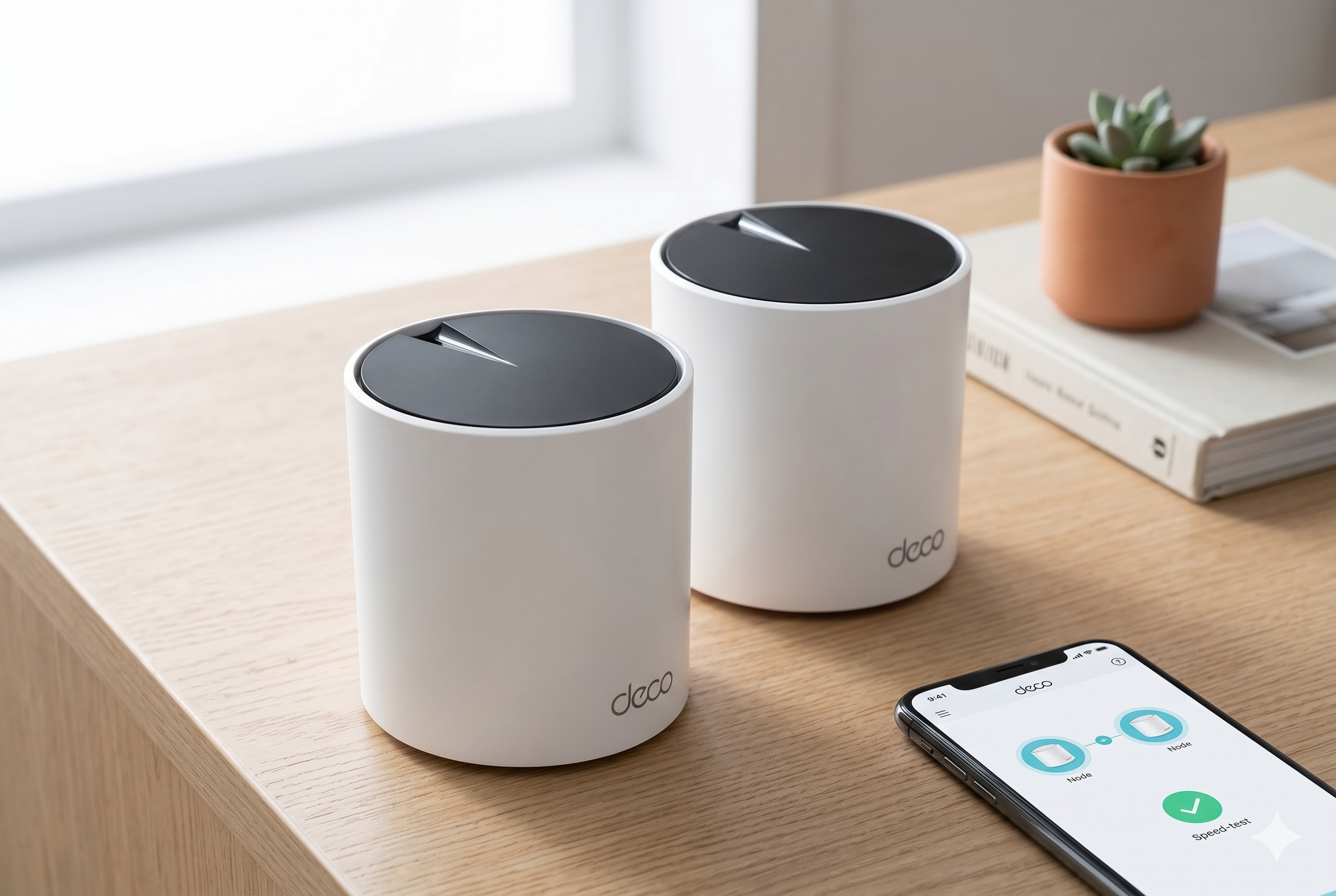
In the modern home, a solid internet connection is just as important as electricity or running water. But even with the fastest fiber plan, many of us still struggle with dead zones; those frustrating corners of the house where the WiFi signal simply disappears.
Whether it’s in a upstairs bedroom, a finished basement, or out on the patio, a single router often isn’t enough to cover everything. The TP-Link Deco AX3000 WiFi 6 Mesh System (Deco X55) aims to solve this by blanketing your entire home in a seamless web of high-speed connectivity. Today, we’re looking at how this system handles the challenge of a large, multi-story home.
Check Price on Amazon
Technical Discovery
Standard WiFi extenders often create a second network with a different name, forcing your phone to constantly switch back and forth as you move around. The Deco AX3000 works differently. It creates a single, unified network that covers up to 6,500 square feet (with the 3-pack).
As you walk from the kitchen to the garage, your devices automatically transition to the closest Deco unit without dropping your connection or causing a stutter in your video call. This is powered by WiFi 6 technology, which is designed to handle more than just speed. It is built to manage up to 150 devices simultaneously, meaning your smart fridge, tablets, and gaming consoles aren’t all fighting for the same narrow slice of bandwidth.
The Performance Test

While the box promises “AX3000” speeds, what you actually experience in your living room is what matters. In our tests, the Deco X55 demonstrated impressive consistency, especially in homes with gigabit internet.
- Speed Consistency: At close range, users have seen speeds upwards of 700-800 Mbps. Even when moving three rooms away from the main unit, the mesh system manages to maintain a strong enough signal to support multiple 4K streams at once.
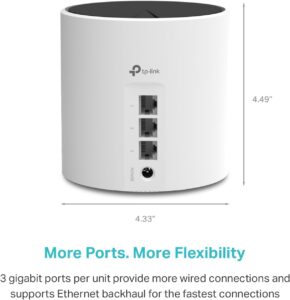
- Wired Versatility: Each unit in the 3-pack features three Gigabit Ethernet ports. This is a significant upgrade over many competitors that only offer one or two ports. If you have a home office or a gaming setup that requires a rock-solid wired connection, you can plug directly into any of the Deco nodes located around your house.
- AI-Driven Optimization: The system uses intelligent algorithms to learn your network environment and user habits. It constantly adjusts which channels it uses to avoid interference from your neighbors’ WiFi, ensuring your signal stays as clean as possible.
The Setup Experience

One of the most intimidating parts of buying new networking gear is the installation process. TP-Link has streamlined this significantly through the Deco app.
Once you plug the first unit into your modem, the app walks you through every step with clear, visual instructions. You don’t need to be a technical expert to get it running; the app handles the heavy lifting, from naming your network to setting up your password. Adding the second and third units is even easier, you simply plug them in, and they automatically find and join the main network. The entire process for a 3-pack usually takes less than 15 minutes, which is a major win for busy families.
Family Features

The Deco system isn’t just about speed; it’s also about managing how your family uses the internet. Through the built-in HomeShield features, you have a high level of control over your home’s digital environment.
You can create individual profiles for every family member, allowing you to set bedtime schedules where the internet automatically turns off for specific devices. It also includes robust parental controls that let you block inappropriate content or see how much time your kids are spending on specific apps. While some advanced security features require a monthly subscription, the basic tools provided for free are more than enough for most households to keep their network safe and their children’s screen time in check.
Comparison: Deco X55 versus the Competition
How does this system hold up against big names like Amazon’s Eero or Netgear’s Orbi?
- Value for Money: The Deco X55 often sits at a much lower price point than the Eero Pro 6, while offering more physical Ethernet ports per unit.
- Wired Backhaul: For those who have Ethernet wiring in their walls, the Deco supports “Wired Backhaul,” meaning the units can talk to each other over a physical cable. This frees up the wireless bands entirely for your devices, resulting in even faster speeds.
- Compatibility: One of the best features of the Deco lineup is that all models work together. If you already have an older Deco system, you can add these WiFi 6 units to your existing network to expand your coverage without having to start from scratch.
Our Verdict
The TP-Link Deco AX3000 (Deco X55) is a standout choice for anyone looking to eliminate WiFi dead zones without spending a fortune. It offers a perfect balance of easy setup, high-speed performance, and excellent port selection. While it might not reach the absolute top-tier speeds of systems that cost three times as much, it provides a stable, seamless experience that is more than enough for the modern smart home.
If you are tired of your WiFi cutting out in the bedroom or the basement, this 3-pack is one of the most reliable ways to fix your home network once and for all.
Check this product and more on Amazon.